Tag Archives: Ubuntu 24.04

PuppEX Noble64 (Puppy Linux) – compatible with Ubuntu 24.04 – with NVIDIA’s proprietary driver 58.82.09 and kernel 6.16.9-exton ::: Build 251008

NEWS ABOUT PuppEX Noble64 “original” with the ROX Desktop Environment – Build 251008

This Puppy Linux derivative is made by me. It is built from Ubuntu 24.04 (Noble Numbat) packages and packages built from woof-CE Recipes. I’ve also compiled a brand new kernel – 6.16.9-exton. This is possibly one of the best PuppEX versions I’ve ever made. Everything just works! I could run the system very well on all of my six different computers. Among them on a really old computer Acer Aspire 5102WLMi from 2006. Study all installed packages in this PuppEX build. NOTE: Ubuntu 24.04 will be supported until April, 2029. Note also that you can use the Apt command (apt update, apt upgrade, apt install MyUsefulPackage etc.) and Synaptic for installing thousands of new Ubuntu packages in PuppEX Noble64.

NVIDIA driver
I’ve installed NVIDIA‘s proprietary driver 58.82.09. That’s because I could not get X to work on one of my computers with a new NVIDIA card RTX 4060 in any other way. The driver will be used if you have a relatively new NVIDIA card. If the card isn’t automatically recognized after boot you shall run the command xorgwizard. When choosing card you shall go for Auto. After that restart X and you will hopefully enter the Desktop as root.

INSTALL PuppEX Noble64 “original” to hard drive
That is best done in the same way (frugal) as regards all other PuppEX versions.

How to make a frugal installation – Instruction…

NOTE: The best way to run PuppEX (or any Puppy Linux system) is still to run it from a USB stick and save the system changes on the stick. You will be asked about that when you reboot or shutdown your computer.

SCREENSHOTS
1. The ROX DE showing the use of an NVIDIA card
2. Showing a how to configure sound
3. The Desktop 251008 while running apt
4. Showing the Desktop while running PuppEX on my old laptop from 2006

READ MORE…

Read about my Android-x86 Systems – 11, 10, Pie, Oreo, Nougat, Marshmallow, Lollipop and KitKat at andex.exton.net – latest is AndEX 11 (with GAPPS), AndEX 10 (with GAPPS) and AndEX Pie 9.0 (also with GAPPS)!
and
about my Android 16, 15, 14, 13, 12, 11, 10, Pie, Oreo, Nougat, Marshmallow and Lollipop versions for Raspberry Pi 5, Pi 4 and  Pi 3/2 at raspex.exton.se – latest is RaspAnd 16 (with GAPPS), RaspAnd 15 (also with GAPPS), RaspAnd 14 (also with GAPPS), 13 and 12 (without GAPPS), RaspAnd 11 (with GAPPS) and RaspAnd Oreo 8.1 (also with GAPPS)!


Follow me on Facebook…

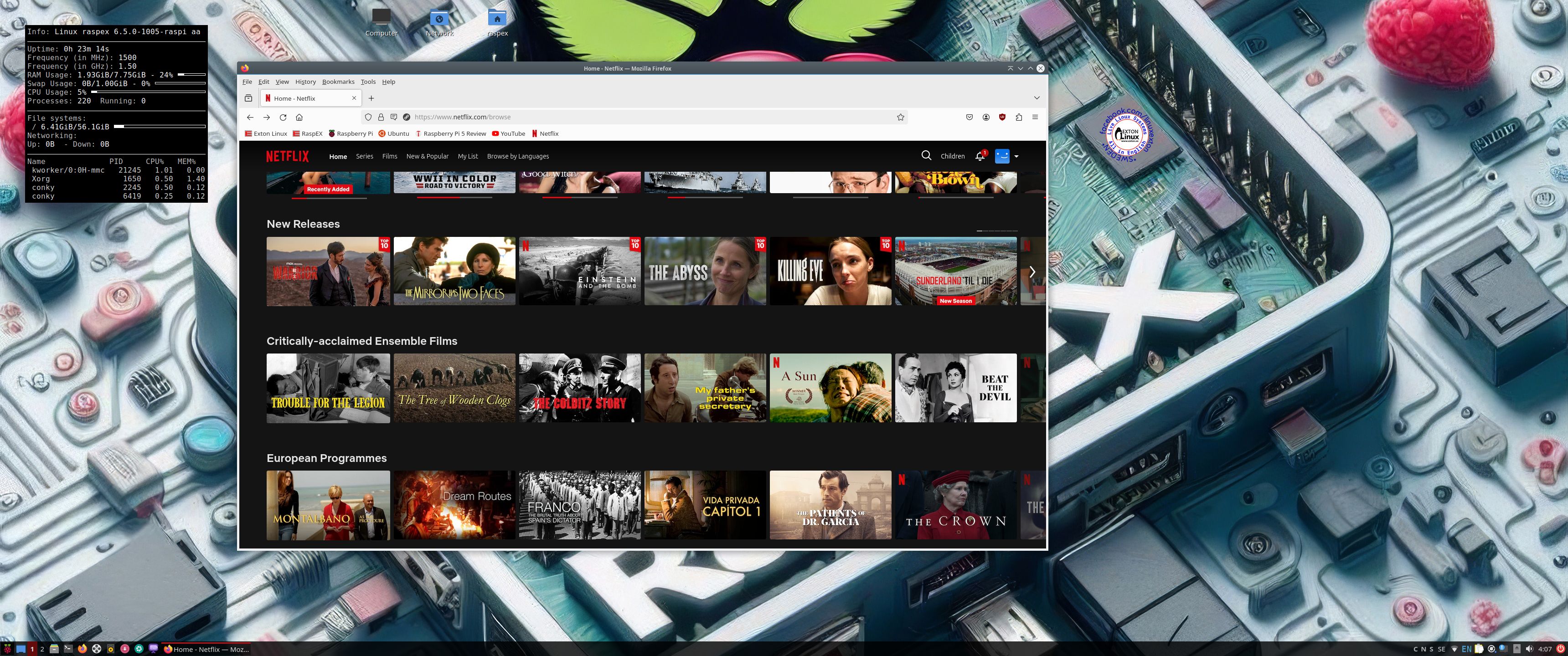
RaspEX Rpi5 64 bit based on upcoming Ubuntu 24.04 LTS “Noble Numbat” with LXQt 1.4, kernel 6.5.0-1005-raspi and Firefox with DRM support :: Build 240221

NEWS 240221 about RaspEX with LXQt based on upcoming Ubuntu 24.04 LTS Noble Numbat.
RaspEX Build 240221 is a Linux ARM (64 bit) system for Raspberry Pi 5 with 4GB/8GB and Raspberry Pi 4 with 2GB/4GB/8GB RAM It is based on Debian and upcoming Ubuntu 24.04 LTS. Firefox Browser with DRM (Digital Rights Management) support is pre-installed. Study all installed packages in RaspEX Build 240221.

REPLACEMENT
This RaspEX Build replaces RaspEX Build 220228, which was a 32 bit System using LXDE (instead of LXQt).

ABOUT Snaps
I have removed all snaps and snapd (The snap daemon) altogether from RaspEX following the advice’s here. The main reason for that was that the RaspEX image became too big with snaps installed.

RASPBERRY Pi 5 and 4
RaspEX Kodi is made especially for the new Raspberry Pi 5 released October 23, 2023 (4GB and 8GB), but can also be used on a Raspberry Pi 4.
NOTE: A Raspberry Pi 5 is about twice as fast as the Raspberry Pi 4.

More about RaspEX

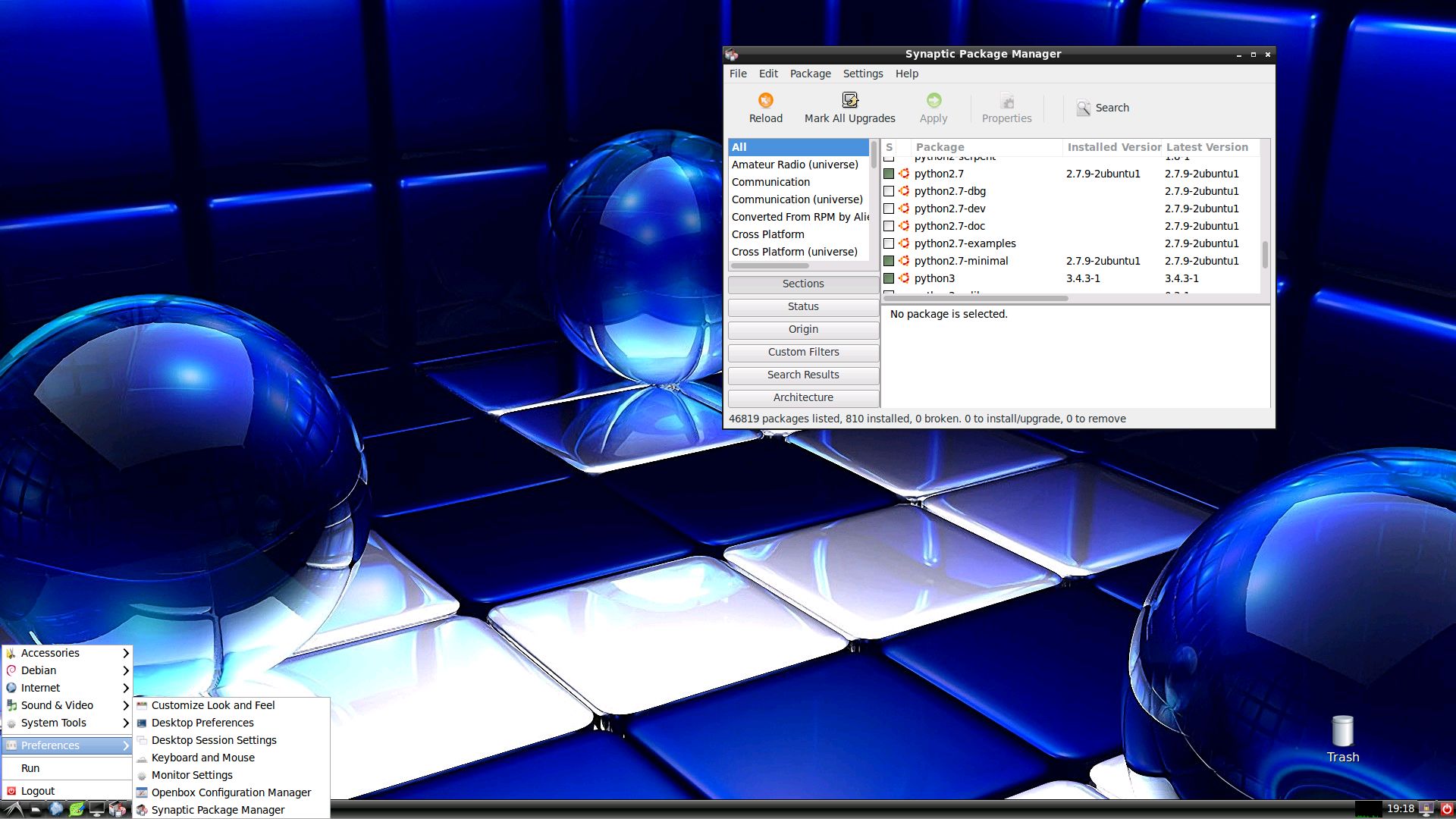
RaspEX is a full Linux Desktop system with LXQt (which is the product of the merge between LXDE-Qt, an initial Qt flavour of LXDE, and Razor-qt, a project aiming to develop a Qt based desktop environment with similar objectives as the current LXQt) with many other useful programs pre-installed. Firefox is used as Web Browser and Synaptic as Package Manager. You can use Synaptic to install any extra packages you may need. For example LibreOffice. RaspEX uses Ubuntu’s software repositories so you can install thousands of extra packages if you want.

Kernel
Kernel 6.5.0-1005-raspi for Raspberry Pi 5 and 4.

SCREENSHOTS

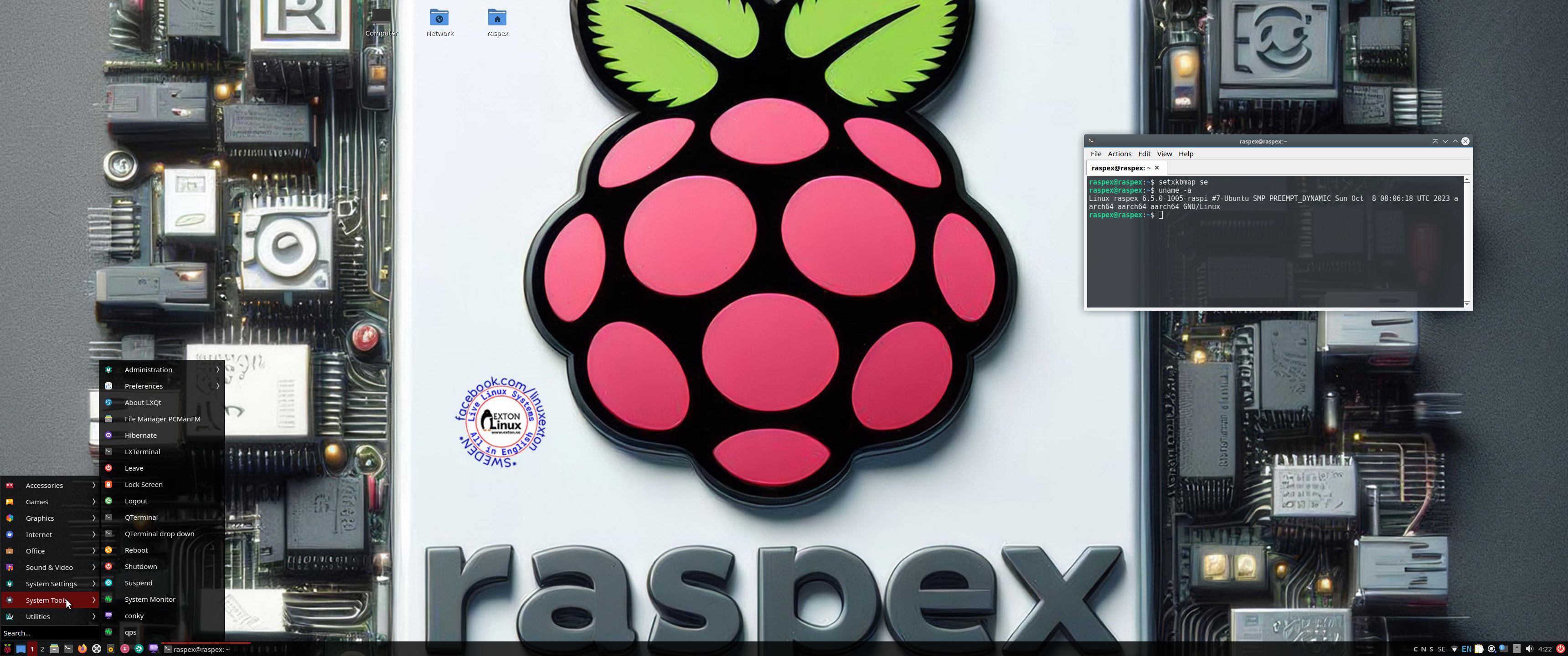
Screenshot 1 – raspex’s Desktop 240221
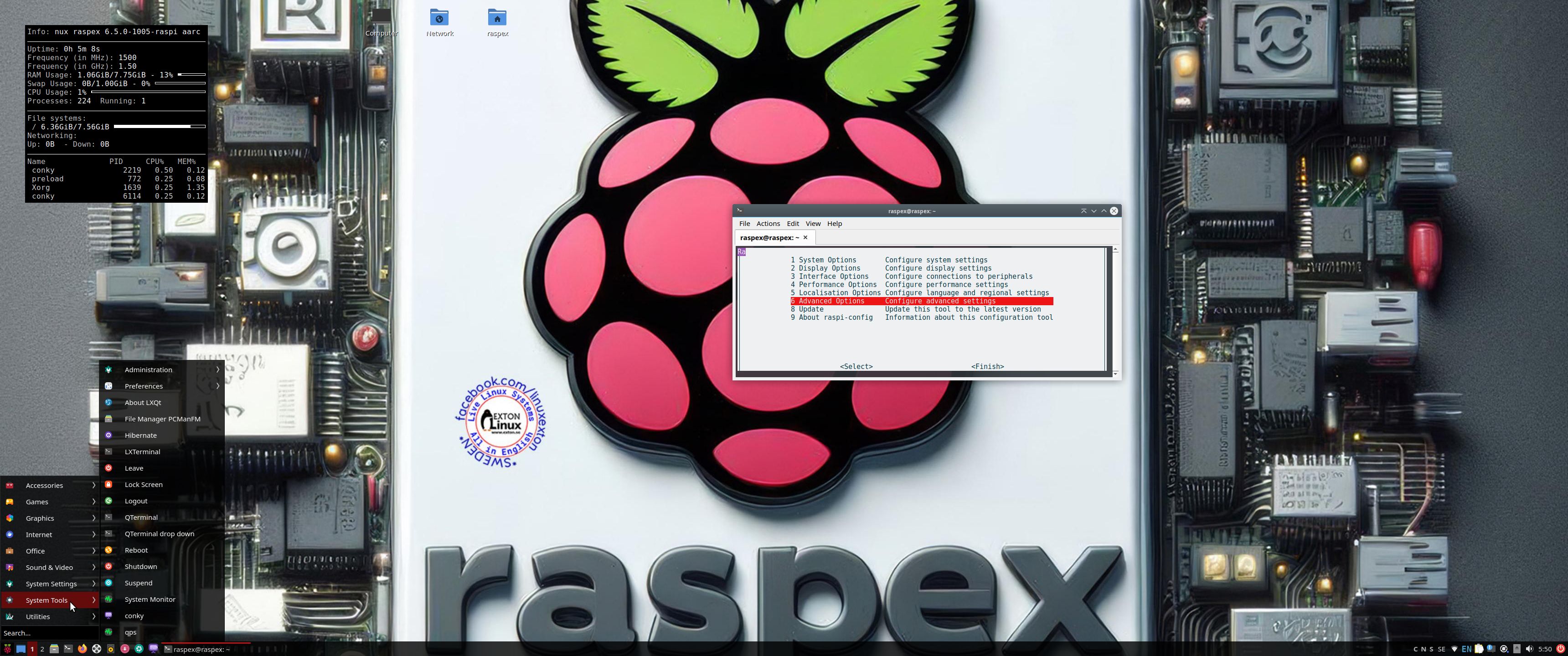
Screenshot 2 – running raspi-config
Screenshot 3 – running Netflix in Firefox
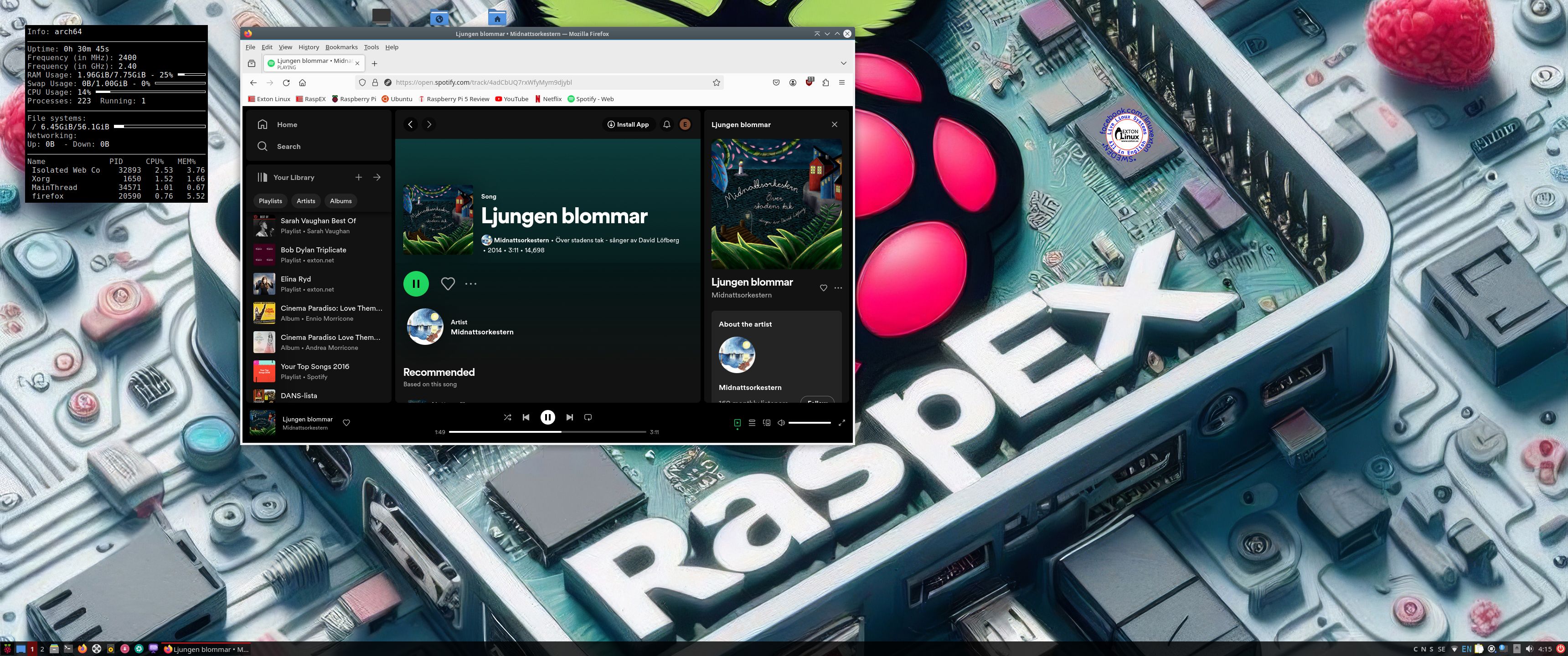
Screenshot 4 – RaspEX running Spotify Web Player

READ MORE…

Read about my Android-x86 Systems – 11, 10, Pie, Oreo, Nougat, Marshmallow, Lollipop and KitKat at
andex.exton.net – latest is AndEX 11 (with GAPPS), AndEX 10 (with GAPPS) and AndEX Pie 9.0 (also with GAPPS)!
and
about my Android 13, 12, 11, 10, Pie, Oreo, Nougat, Marshmallow and Lollipop versions for Raspberry Pi 4 and 3/2 at
raspex.exton.se
– latest is RaspAnd 13 and 12 (without GAPPS), RaspAnd 11 (with GAPPS) and RaspAnd Oreo 8.1 (also with GAPPS)!