
Tag Archives: Bookworm

PuppEX Dev64 (Puppy Linux) – compatible with Devuan 5.0 – with NVIDIA’s proprietary driver 58.82.09 and kernel 6.17.1-puppex ::: Build 251014

NEWS ABOUT PuppEX Dev64 with the ROX Desktop Environment – Build 251014
This Puppy derivative is made by me. It is built from Devuan Linux 5.0 (Daedalus) packages and packages built from woof-CE Recipes. I’ve also compiled a brand new kernel – 6.17.1-puppex. This is possibly one of the best PuppEX versions I’ve ever made. Everything just works! I could run the system very well on all of my six different computers. Among them on a really old computer Acer Aspire 5102WLMi from 2006. Study all installed packages in this PuppEX build. NOTE: Debian 12 bookworm (and thus Devuan 5.0) will be supported until June 30th, 2028. Note also that you can use the Apt command (apt update, apt upgrade, apt install MyUsefulPackage etc.) and Synaptic for installing thousands of new Devuan/Debian packages in PuppEX Dev64.

About Devuan
Devuan GNU+Linux is a fork of Debian without systemd that allows users to reclaim control over their system by avoiding unnecessary entanglements and ensuring Init Freedom.
My comment: Devuan 5.0 itself without systemd is a very good stable Linux distribution. You must also remember that PuppEX Dev64 is a Puppy Linux System, which means – among other things – that you run it from RAM even after a hard drive installation (frugal). That means that the system is very fast and responsive compared to most other Linux systems.

NVIDIA
I’ve installed NVIDIA‘s proprietary driver 58.82.09. That’s because I could not get X to work on one of my computers with a new NVIDIA card RTX 4060 in any other way. The driver will be used if you have a relatively new NVIDIA card. If the card isn’t automatically recognized after boot you shall run the command xorgwizard. When choosing card you shall go for Auto. After that restart X and you will hopefully enter the Desktop as root.

What’s new in kernel 6.17?

SCREENSHOTS
1. The ROX DE showing the use of an NVIDIA card
2. Showing a how to configure a WiFi connection
3. The Desktop 251014 while running VLC
4. Showing the Desktop while running YouTube
5. Showing a nice Linux wallpaper

READ MORE…

Read about my Android-x86 Systems – 11, 10, Pie, Oreo, Nougat, Marshmallow, Lollipop and KitKat at andex.exton.net – latest is AndEX 11 (with GAPPS), AndEX 10 (with GAPPS) and AndEX Pie 9.0 (also with GAPPS)!
and
about my Android 16, 15, 14, 13, 12, 11, 10, Pie, Oreo, Nougat, Marshmallow and Lollipop versions for Raspberry Pi 5, Pi 4 and  Pi 3/2 at raspex.exton.se – latest is RaspAnd 16 (with GAPPS), RaspAnd 15 (also with GAPPS), RaspAnd 14 (also with GAPPS), 13 and 12 (without GAPPS), RaspAnd 11 (with GAPPS) and RaspAnd Oreo 8.1 (also with GAPPS)!


Follow me on Facebook…

ExLight 64bit UEFI, Build 221130, based on Debian “Sid” (unstable/development) with Enlightenment 0.25.4 (latest) as DE, Refracta Snapshot and Calamares Installer

NEWS 221130 ABOUT ExLight
I’ve made a new version of ExLight with the Enlightenment 0.25.4 Desktop environment, Refracta Snapshot (create your own Debian Sid System) and Calamares 3.2.61-1 Installer Framework. The very nice Enlightenment theme e25 Neonz is used.

New sources 221130
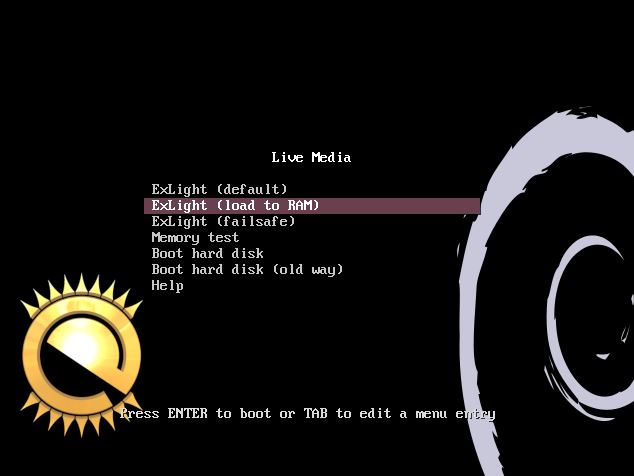
This new version of ExLight is based on Debian Sid (unstable/development). Build 221130 is a total rebuild of ExLight. The ISO file size is of only 1850 MB, which means that you’ll need about 3GB RAM to run ExLight even faster from RAM. I.e. load to RAM – screenshot. You can remove the DVD or USB stick when ExLight has booted.

KERNEL
ExLight Build 221130 uses kernel 6.0.10-amd64-exton-rt14 built from Debian kernel sources with Debian patches.

What’s new in kernel 6.0?

Installed packages
Study all installed packages in ExLight Build 221130.

THE REAL McCoy
ExLight is a pure Debian system. I.e. no traces of Ubuntu, Kubuntu etc. New releases of Ubuntu are always based on Debian Sid. So is ExLight.

KNOWN ISSUE
You can’t login to the Enlightenment 0.25.4 Desktop unless you use a “fairly new” computer. Not older that about eight (8) years according to my experience. Read more about the problem…

READ MORE…

Read about my Android-x86 Systems – 11, 10, Pie, Oreo, Nougat, Marshmallow, Lollipop and KitKat at
andex.exton.net – latest is AndEX 11 (with GAPPS), AndEX 10 (with GAPPS) and AndEX Pie 9.0 (also with GAPPS)!
and
about my Android 12, 11, 10, Pie, Oreo, Nougat, Marshmallow and Lollipop versions for Raspberry Pi 4 and 3/2 at
raspex.exton.se
– latest is RaspAnd 12 (without GAPPS), RaspAnd 11 (with GAPPS) and RaspAnd Oreo 8.1 (also with GAPPS)!