

Tag Archives: Vlc

Exton|OS 64 bit with Mate and kernel 4.0.0-4-exton :: build 150719

Exton|OS build 150719 is based on Ubuntu 15.04 64 bit (released April 23, 2015) and Debian Jessie (Debian 8). Exton|OS’s ISO file is a ISO-hybrid, which means that it can very easily be transferred (copied) to a USB pen drive. You can then even run Exton|OS from the USB stick and save all your system changes on the stick. I.e. you will enjoy persistence! I’ve found two scripts which make the installation to USB very simple. The scripts are quite ingenious. My tests show that they work flawlessly on USB installations of all normal Ubuntu systems. Read my INSTRUCTION how to use the scripts.

NEWS 150719
A new and much better version of Exton|OS is ready. I have replaced kernel 3.19.0-14-exton with kernel 4.0.0-4-extonKernel.org‘s kernel 4.0.7. With kernel 4.0 there is no real need to use Nvidia proprietary graphic drivers since this kernel has better support for the open-source Nvidia driver Nouveau than any other older kernel. The Mate Desktop is upgraded to version 1.8.2. I have also replaced Ubuntu’s installation program Ubiquity with Exton|OS Installer, which is a clone of Debian Live Installer. The installation to hard drive is now so simple that a 10 year old child can do it. Watch a SLIDESHOW of the hard drive installation process.

Feature OVERVIEW for the Linux 4.0 kernel

READ MORE…

Exton|OS 64 bit with Mate and kernel 3.19.0-14-exton :: build 150428

NEWS ABOUT Exton|OS build 150428
A new and much better version of Exton|OS is ready. I have replaced kernel 3.19.0-5-exton with kernel 3.19.0-14-exton. With kernel 3.19.0 there is no real need to use Nvidia proprietary graphic drivers since this kernel has better support for the open-source Nvidia driver Nouveau than any other older kernel. The Mate Desktop is upgraded to version 1.8.1. I have also replaced Ubuntu’s installation program Ubiquity with Exton|OS Installer, which is a clone of Debian Live Installer. The installation to hard drive is now so simple that a 10 year old child can do it. Watch a SLIDESHOW of the hard drive installation process.

MORE ABOUT VERSION 150428
Exton|OS
build 150428 is based on Ubuntu 15.04 64 bit (released April 23, 2015) and Debian Jessie (Debian 8). Exton|OS’s ISO file is a ISO-hybrid, which means that it can very easily be transferred (copied) to a USB pen drive. You can then even run Exton|OS from the USB stick and save all your system changes on the stick. I.e. you will enjoy persistence! I’ve found two scripts which make the installation to USB very simple. The scripts are quite ingenious. My tests show that they work flawlessly on USB installations of all normal Ubuntu systems. Read my INSTRUCTION how to use the scripts.

READ MORE…


A new version of EXTON OpSuS (openSUSE) is ready!

openSUSEEXTON OpSuS 13.2 KDE is based on openSUSE 13.2, released 20150108. EXTON OpSuS KDE uses kernel 3.16.7 and KDE 4.14.4. Installed programs: Among many other programs, Firefox, Thunderbird, FileZilla, Gimp, Vlc, Network Manager, Samba client, GParted and LibreOffice. Study the full list of PACKAGES. You’ll run the system as root or as the ordinary user live. Root’s and live’s password is root/live. EXTON OpSuS can easily be installed to hard drive (of those who so desire). That is directly while running the system from a USB stick. All programs have been updated to the latest available stable version as of February 17, 2015. The system language is English.

Installing to a USB stick and/or to hard drive
After installing EXTON OpSuS 13.2 to a USB stick, you can change the system completely and then install the system to a hard drive. You can also continue to have it only on the USB stick and run EXTON OpSuS on any computer you want. If you install EXTON OpSuS on a large enough (and fast) USB pen drive, you can go ahead and install for example Cinnamon, Mate or Xfce4. All your system changes are automatically saved to the USB stick. Persistence!

Why should someone choose EXTON OpSuS/openSUSE?

See a screenshot of the KDE Desktop

READ MORE…

Exton|OS 64 bit with Mate and kernel 3.19.0-5-exton :: build 150211

NEWS 150211
A new and much better version of Exton|OS is ready. I have replaced kernel 3.16.0-21-exton with kernel 3.19.0-5-exton. (Kernel.org‘s stable kernel 3.19.0, released 150209). With kernel 3.19.0 there is no real need to use Nvidia proprietary graphic drivers since this kernel has better support for the open-source Nvidia driver Nouveau than any other older kernel.

Feature OVERVIEW for the Linux 3.19 kernel

Desktop Environment and programs
The Desktop Environment is Mate 1.8.1. (A fork of GNOME 2. It provides an intuitive and attractive desktop environment using traditional metaphors for Linux and other Unix-like operating systems). Kernel 3.19.0-5-exton. (Kernel.org‘s stable kernel 3.19.0, released 150209). Program content: Firefox, Gimp, Google Chrome (added for Netflix), Vlc and GParted. Also all necessary additions in order to install programs from source. All packages have been updated to the latest available version as at February 11, 2015. Study the full package list.
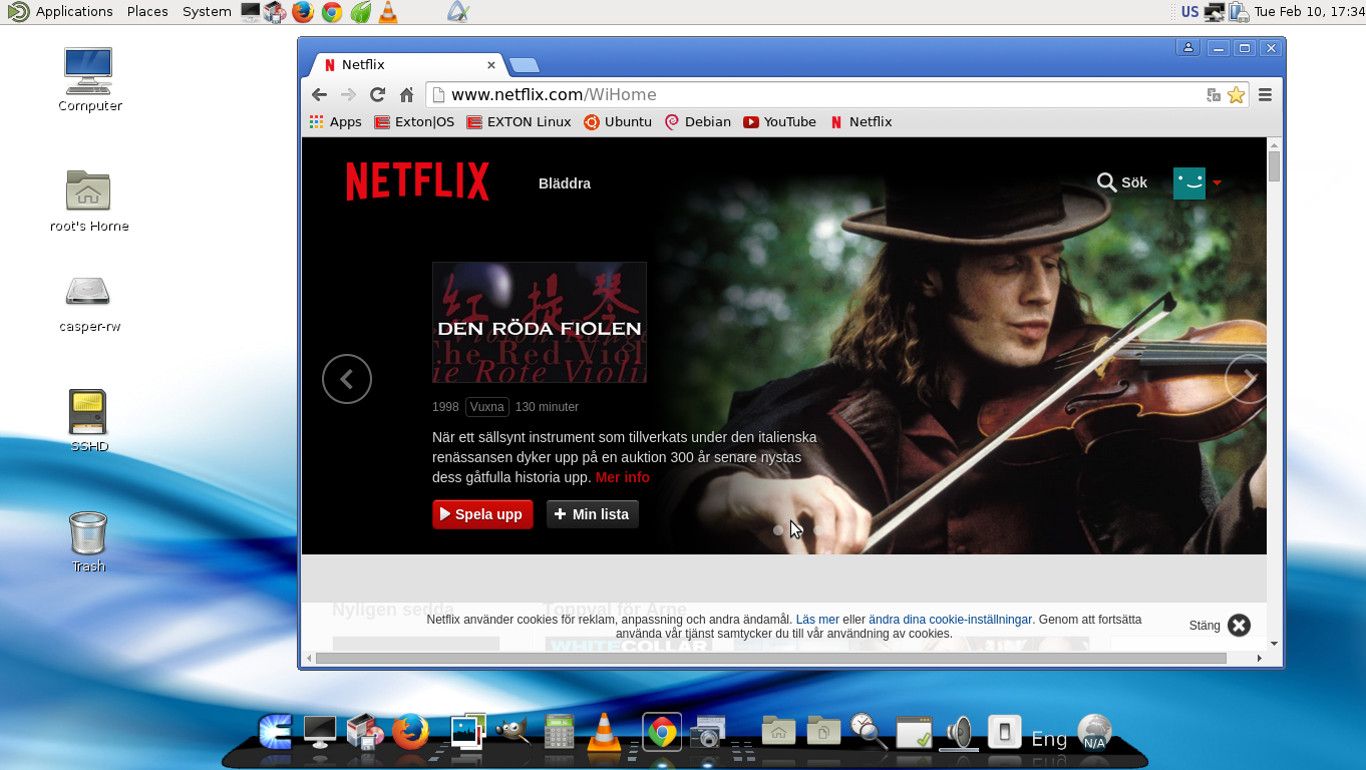
See a screenshot of Exton|OS’s Mate Desktop

READ MORE…